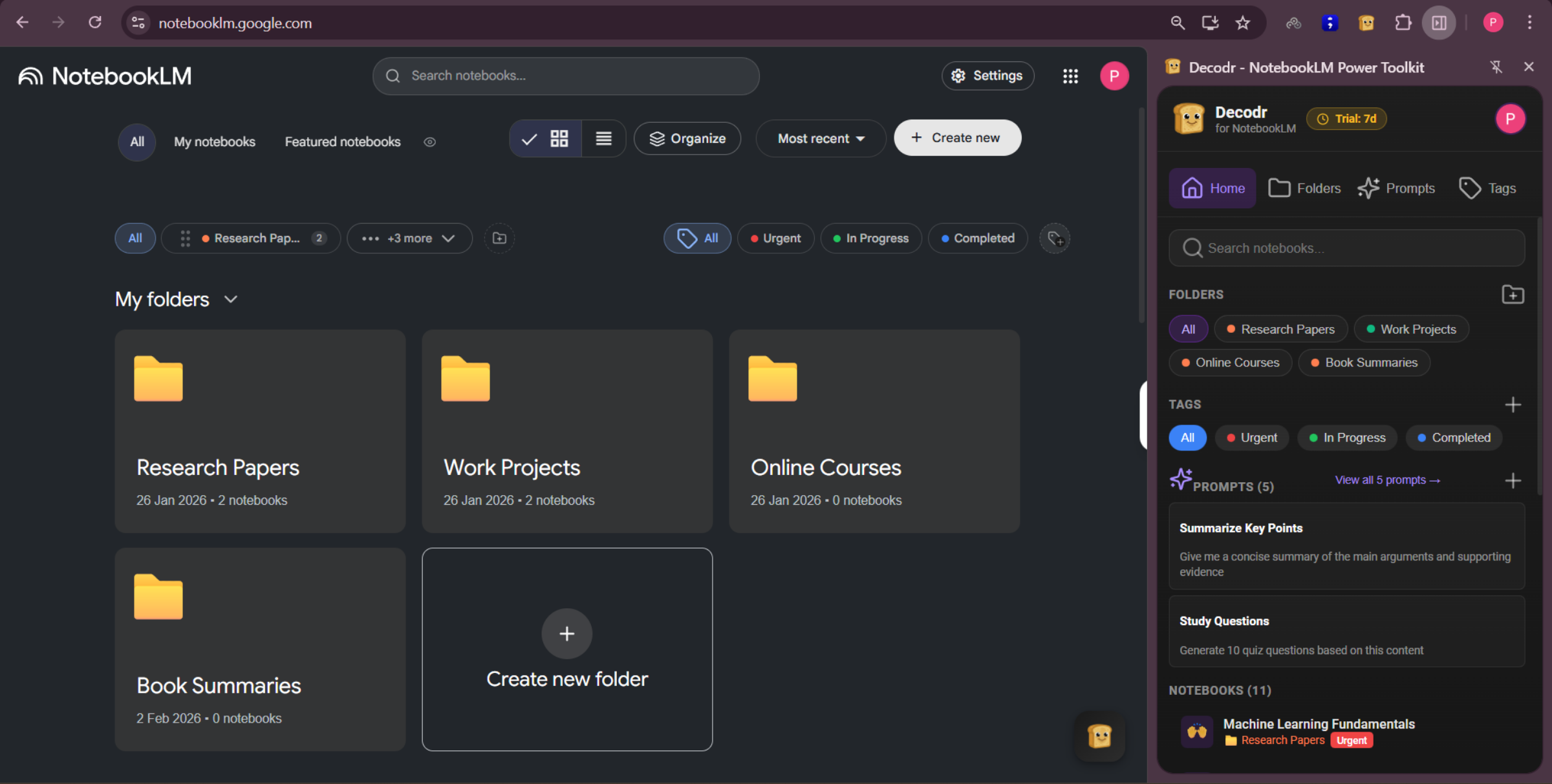
Decodr adds the stuff NotebookLM forgot: folders, tags, imports, and a prompt library. Everything lives right inside the page—so it feels like it was always there.
Your notebook list turns into a wall of "Untitled Notebook (4)." You can't group anything. You can't tag anything. You want to import a YouTube playlist and the answer is "do it one video at a time." Your PDF is 10MB over the limit and now you need to go find some random compression site.
It's not that NotebookLM is bad. It's that the organization and import tools just aren't there yet.
That's where Decodr comes in.
Everything runs right inside the NotebookLM page. No popups, no separate dashboard.
Group notebooks by project, class, or topic. Keep everything organized in one place.
Filter and find what you need in seconds.
Save & reuse best prompts.
ChatGPT, Claude, YouTube, PDFs, web articles — all with one click.
Auto-compress or split large files.
Visualize what you've covered. Keep your streak alive.
Install Decodr from the Chrome Web Store. It's free.
Open NotebookLM. Decodr's features are already there, embedded right into the page.
Start organizing, importing, and saving prompts. That's it. No setup wizard or onboarding flow.
Juggling notebooks for every class, importing lecture videos and flashcards, trying to keep everything from turning into chaos.
Managing literature reviews across dozens of papers, tagging by status, tracking what's been read and what hasn't.
Pulling in YouTube videos, articles, and AI conversations as source material for their next project.
Who opened NotebookLM one day, looked at their notebook list, and thought "this is getting out of hand."
Decodr runs locally in your browser. We don't read your notebooks, we don't store your content, and we don't send anything to external servers. Sign-in uses Google OAuth—that's the only data we touch. We built this to help you organize, not to collect your data.
Read our full privacy policyFree to start. Takes about 30 seconds to install. And your future self will thank you.